Start with an image
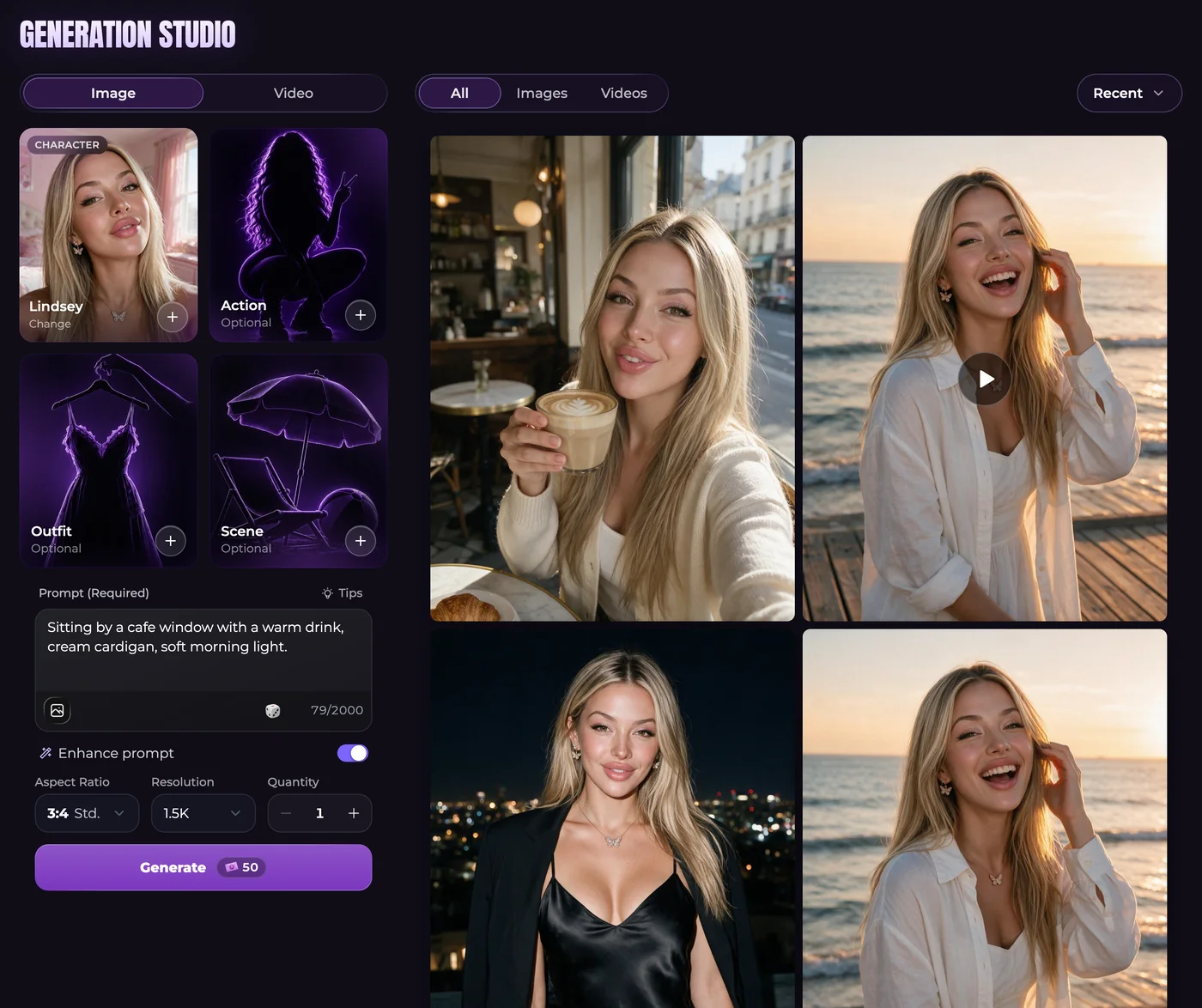
Describe what should be visible: the companion, action, location, clothing and composition. Keep the request consistent with any selected presets. If you are unsure about the framing, begin with one result and inspect it before increasing the quantity.
In image generation, the gallery holds completed results and supported reference photos. References come from that gallery, not an assumed upload from your device. An additional reference or a different size can change the Moments total.
Start with motion
For video generation, choose a source image and explain what changes over time. A short camera move and a small character movement are easier to describe clearly than several location changes in a single clip.
The available model determines duration, resolution, audio and reference options. Do not prepare an end frame until you know whether the selected model supports it. Video creation requires a paid plan and enough Moments for the displayed request.
Review the request and the result
Check the character selection, scene, size or duration, and total cost together. Unlimited paid-plan messaging does not remove generation costs. A plan allowance and a purchased Moments balance also follow different renewal rules.
After a result completes, inspect it in the gallery before reusing or downloading it. A blocked request that never starts is not charged; a failed generation receives its Moments back. A successful result you dislike is not automatically a failed transaction. For a clearly broken image, follow the review process under Help.
Questions
Should I make an image before a video?
You can use a supported existing gallery image as a source. Checking that still first helps you identify appearance or framing problems before spending Moments on animation.
Does changing settings immediately start generation?
No. Selecting a model, reusing a prompt or filling a form is separate from submitting the generation request. Review the final displayed cost before submitting.
Where can I compare image and video costs?
Open the Moments explanation for how requests are metered, then check the specific form. One sample price does not cover every model, resolution, quantity or clip length.