Build the scene in Studio
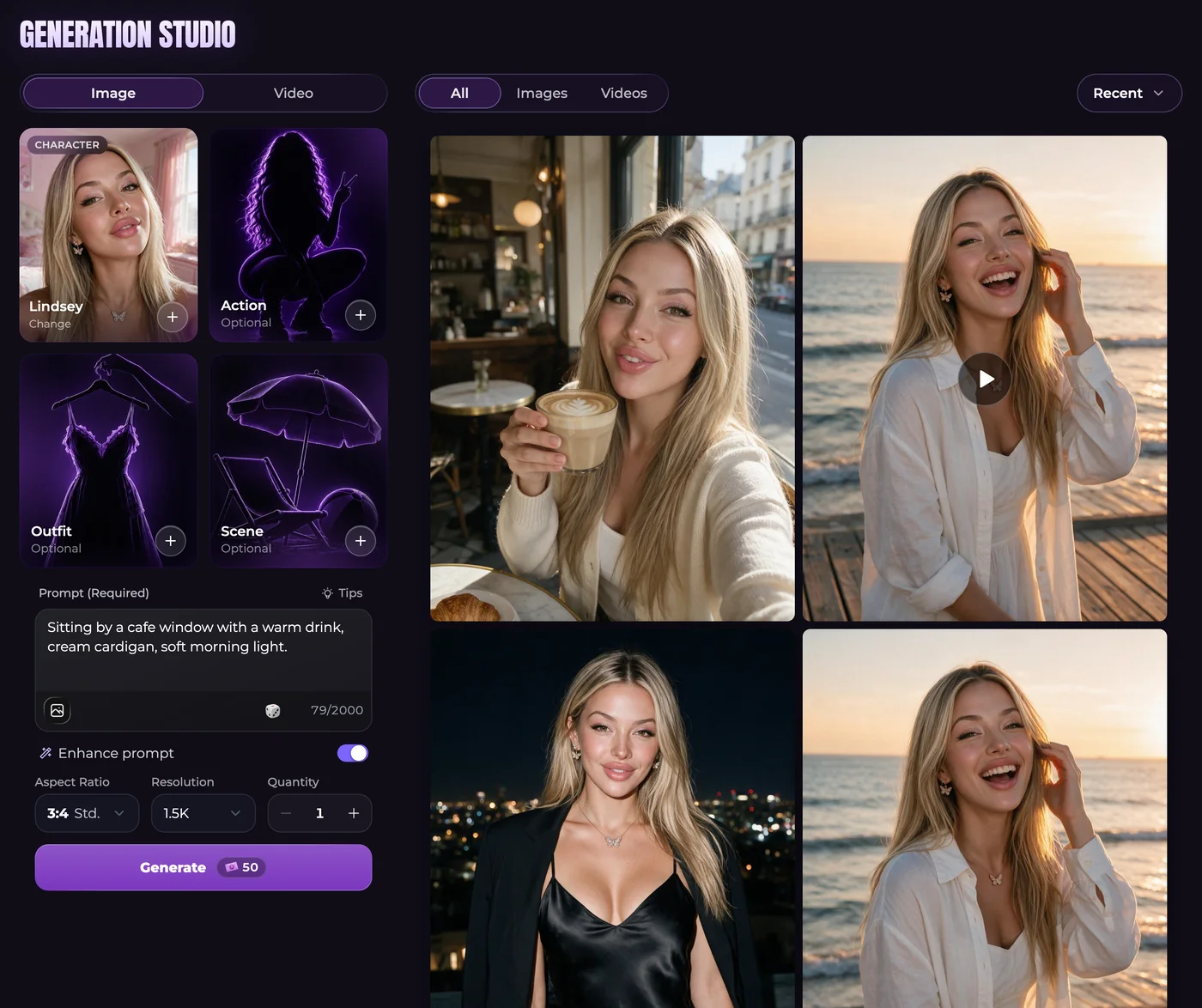
Open Generate and select Image. Choose a companion first, then add available Action, Outfit or Scene presets, or describe those details yourself. Keep a preset and its written description consistent. Asking for a snowy street while a selected preset specifies a sunny beach gives the model competing directions.
A useful starting description might place your companion reading beside a train window, with a blue jacket, an open book and late-afternoon light. Name the details you want to see rather than filling the prompt with repeated quality adjectives.
Check likeness, size and quantity
Advanced generation accepts up to five reference photos selected from your Secrets gallery. The first is included in the base price; each additional reference adds 10 Moments. Choose photos that clearly show the features or scene details you want to retain. In chat photos, Lock appearance controls whether story changes can influence later looks.
Aspect ratio changes the shape of an image; resolution changes its dimensions. Advanced choices include 1K, 1.5K and 2K. Increasing quantity asks for additional results. These are different decisions, and each can affect the request or its total cost.
Inspect a result before making another
Open the image in the gallery and look at the face, hands, clothing and background at a useful size. If only one detail is wrong, a focused edit can be more informative than rewriting the entire scene. Save or download a result you want to keep, or use it as the starting point for a video.
A standard single-companion chat photo is listed at 50 Moments. Studio settings, group photos and persona images can have different prices. The total shown before generation is the amount to check for that request.
Questions
Can I request an image during chat?
Yes. You can ask your companion for a photo or use the instant-image control. Its scene comes from the conversation, while supported reference and appearance settings help guide the look.
Can I include more than one companion?
Studio supports group images with up to three companions. Give each selected character a clear role or position in the prompt so an outfit or action is not assigned ambiguously.
Does a V2 companion need Advanced mode enabled?
V2 companions use Advanced automatically in Studio. A missing mode selector is not a reason to enable an unofficial setting.
Are images included in unlimited chat?
No. Unlimited messaging covers text. Images use Moments, with the total shown before you generate.